This post contains affiliate links. This means that when you make a purchase, at no additional cost to you, I will earn a small commission.
In the early grades, students often experience multiplication through equal groups or arrays. They might build groups with counters, draw rows of dots, or skip count their way through a problem. These experiences help students understand what multiplication represents and means.
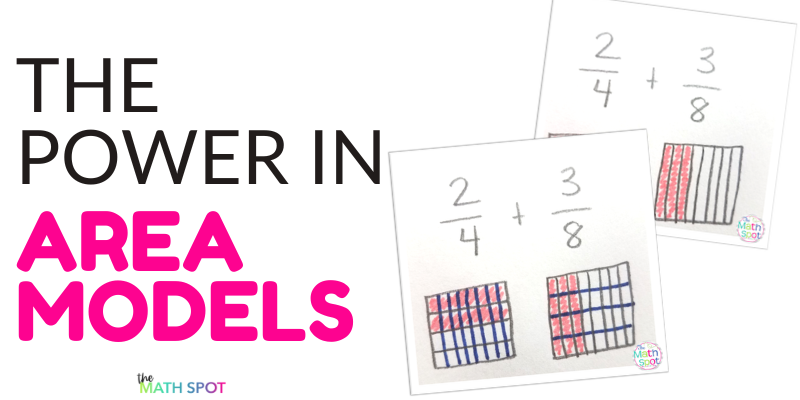
As the numbers grow larger and the calculations become more complex, the models we use also need to grow with students as the early models become too cumbersome. This is where area models become incredibly useful.
Area models show the same information they are modeling with arrays, but they organize the information in a way that can support much more sophisticated mathematics.
From Arrays to Area Models
Many teachers first introduce multiplication with arrays. For example, if students are solving 3×5, they might draw three rows of five dots. An area model represents the same idea a little differently. Instead of drawing individual objects, we represent the rows and columns as the side lengths of a rectangle. The rectangle represents the total area created by those two side lengths.
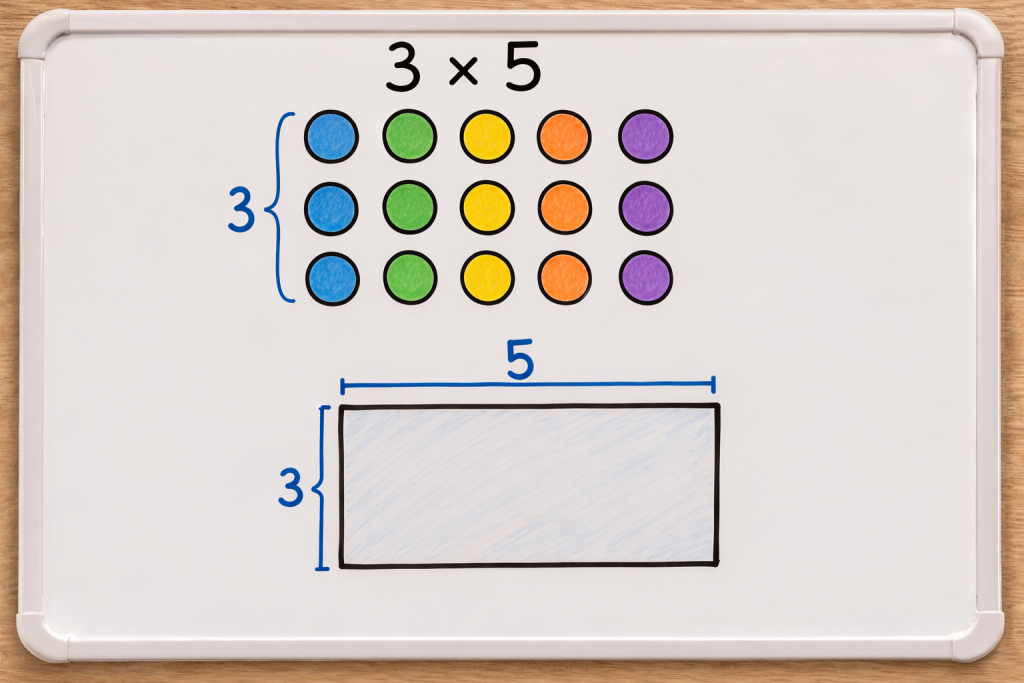
The shift from array to area model allow students to work with larger numbers now that they are not having to show each individual piece in the equation. This is a balance for sure. The model is more flexible and can be used with larger numbers but it is also less supportive than the array model so the decision to transition needs to be made with student abilities in mind!
Using Area Models for Multi-Digit Multiplication
Area models are particularly helpful when students begin multiplying multi-digit numbers.
Take the problem:
23 × 14
Students can decompose each number into tens and ones.
23 becomes 20 + 3
14 becomes 10 + 4
Then the rectangle is partitioned to show each partial product. Each smaller rectangle represents a partial product. Students can then add the areas together to find the total:
200 + 30 + 80 + 12 = 322
This model helps students see where each part of the calculation comes from rather than simply memorizing the standard algorithm.
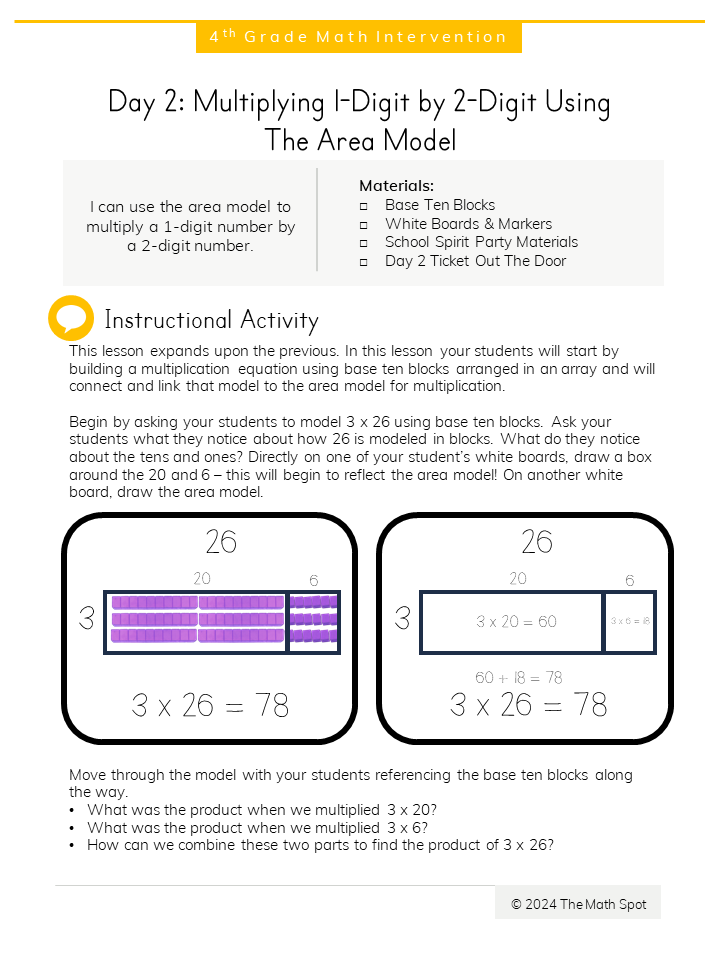
In order to use the area model to multply your students need to have an understanding of place value in order to decompose as well as an understanding of the distributive property. Don’t walk into these models lightly of you do risk turning multiplication into a procedure void of meaning!
Area Models and Division
Area models can also be used to represent division.
Instead of finding the total area, students are working backwards. They know the total area and one side length, and they are trying to determine the missing side.
For example:
96 ÷ 6
Students can think about decomposing 96 into rectangles that have a side length of 6.
6 × 10 = 60
6 × 5 = 30
6 × 1 = 6
By combining those rectangles, students see that
96 ÷ 6 = 16
The model supports the same thinking that appears later in partial quotients and long division.
Extending Area Models to Fractions
One of the most powerful features of area models is that they extend naturally to fraction work. Students can represent fractions by partitioning a rectangle into equal parts. For example, to show , a rectangle can be divided into four equal sections with three shaded.
Area models allow students to visualize fractions as portions of a whole region, which sets the stage for fraction operations.
Modeling Fraction Addition
Area models can help students understand why common denominators are needed when adding fractions.
Consider the problem:
Students might draw a rectangle divided into halves and another divided into thirds. The problem is that the pieces are not the same size.To combine them, we need to partition both rectangles into the same-sized pieces.When both rectangles are partitioned into sixths, students can see that
Now the pieces are the same size, so they can be combined.
The area model helps students see that common denominators are not just a rule. They are necessary so that the pieces being combined are the same size.
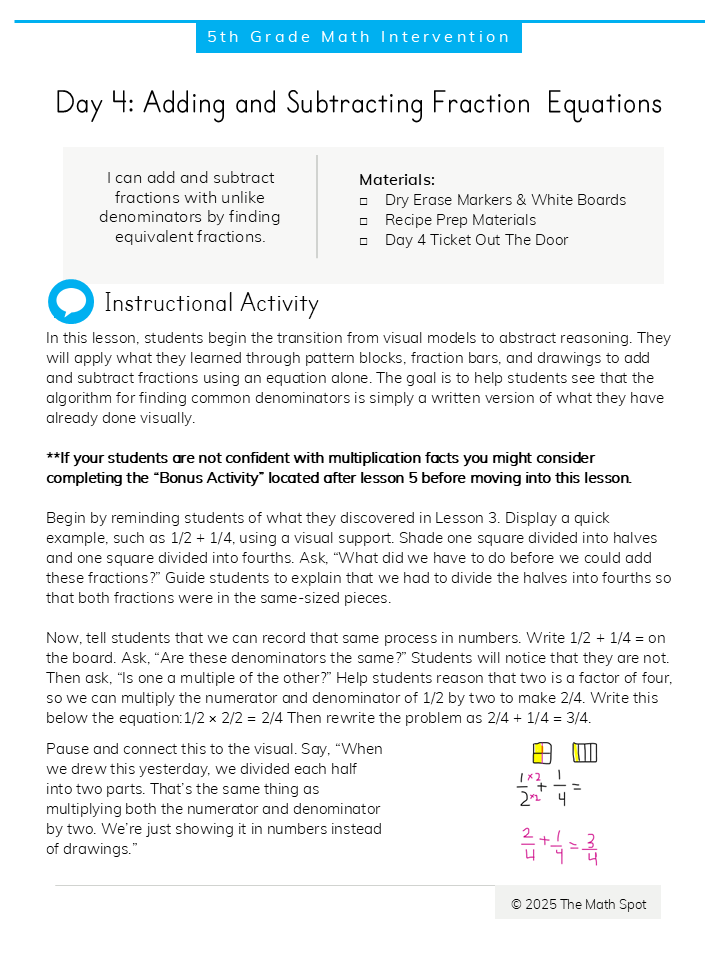
Here you can read a dedicated post about adding fractions with unlike denominators using an area model.
Modeling Fraction Multiplication
Area models are also widely used to represent fraction multiplication.
For example:
I always like to ground a problem like this into the language of multiplication. 3 x 4 means 3 groups of 4. So 2/3 x 3/4 means 2/3 of a group of 3/4. Fraction multiplication is SO tricky because the result is smaller than the numbers your are beginning with- this is NOT intuitive to students who have spent the last 2 years learning that multiplication makes numbers bigger.
Students begin by partitioning the rectangle into thirds in one direction and fourths in the other direction. This creates a grid of 12 equal parts. Then students shade two thirds one way and three fourths the other way.The overlapping region represents the product.
Students can see that 6 of the 12 sections are shaded in both directions. The model makes it clear why the denominators are multiplied and how the product relates to the parts of the rectangle.
A Model That Grows with Students
One of the most valuable aspects of area models is how flexible they are.
The same visual representation can help students understand:
• basic multiplication
• multi-digit multiplication
• division
• fraction addition
• fraction multiplication
Instead of introducing a completely new model each time students encounter a new concept, teachers can help students extend a model they already understand.